Router Bit Setup
Annotated Router Bit Depth Gauge
The DEPTH GAUGE supplied with the routing system sets the router bit's depth relative to the router base's bottom. The gauge has two separate depth settings: STANDARD (circular notch, a typical installation and CONCAVE (triangular notch on the side) for installations in double concaves. The CONCAVE depth is 1/32" deeper than the standard install.
The concave depth is deeper because the base router jig tends to bridge it. The goal is to have the box flange slightly below the install cavity's lowest point. Depending on the severity of the concavity, the depth might need to be adjusted from the one provided. See the EXTRAS section at the end of this page for more details on the gauge.
The depth gauge is placed on the bottom of the router base with the appropriate notch above the router bit for the desired depth - CIRCULAR Notch = STANDARD and TRIANGULAR Notch = CONCAVE, as shown in the illustration above.
Simple Alternate Router Bit Setup
Alternatively, a box can be placed on the bottom of the jig, and the bit can be adjusted until it is slightly above the top of the upper surface of the load beam collar. Keeping the box slightly below the lip of the routed cavity ensures a better install.
Doing a test run on a foam scrap is an excellent idea to ensure everything is correct before proceeding.
NOTE: For installation into deep double concaves, it is advisable to set the bit a little deeper to allow the box to be fully below the bottom surface, at the lowest point of the concave. A measurement of roughly 31mm (1 7/32” ) from the router's base to the tip of the cutters on the router bit can be used as a starting point! This results in a cavity slightly deeper than the depth of the box when installed in a deep concave.
Preparation
A GEARBOX installation is straightforward and requires only our routing system, hex key, die-cut tape, boxes, and a router you provide.
Annotated Standard Starter Kit
A trim router is strongly recommended as these are easier to handle and fit better on the jigs, but any router will work! See the general sections for router bit setup, details about the routing system, glossary, box details, and more.
Routing will most commonly be performed on the shaped surfboard blank. However, installation can be completed after the bottom has been laminated, and the boxes must still be capped with glass.
Setup
As part of the setup, the blank must have the shapers and fin layout lines, for the desired fin setup.
To ease the process, a line connecting the two dots that mark the fin location should be drawn if these are not already present.
These lines will help position the jigs and are typically placed on the blank by the shaper to their desired fin layout.
Base Router Jig Placement
Place the base router jig on the blank oriented with the rail marker pointing towards the rail.
Place the back shaper's mark window on the back shaper's mark, then use either the centerline for a center box or the side centerline for a side box to align the jig between the marks. Finally, use the shape's mark crosshatch to position the mark within the window.
Typically, the jig does not need to be anchored to the blank; its weight and the rubber pad on the bottom keep it in place.
Rout Top Cavity
Once again, place the top router jig on top of the base jig, with the rail marker matching that of the base jig.
The top jig has a built-in locator on each end that locks it into position on top of the base jig. The router bit depth DOES NOT need to be adjusted to rout this cavity, as the jig raises the bit to the correct depth.
Proceed with routing the cavity that forms the shelf onto which the box load beam collar will rest.
Rout Bottom Cavity
Remove the top router jig and place the bottom router jig inside the base jig.
The bottom jig fits precisely in the inner opening. Ensure that the rail marker is oriented the same as the base jig. The jig will not drop into the previously routed cavity, as there is a slight reveal around the interior.
The router bit depth does not need to be adjusted for this cut. Be careful inserting the router bit into the jig, as there is little room. Start the router and then insert the router bit into the surfboard foam. Holding firmly onto the router, move it clockwise around the inside of the jig. The resulting cut is always 1/16” away from the jig.
Be careful when routing a center box, as the stringer can cause the router to jump. Creating a starter hole in the stringer is safer, making it easier to start the router while inserted into this opening. The hole can be made by using the router before adding the bottom router jig, or a Forstner Bit can make a starter hole in the string. If there is a lot of vee in the board, some tape might be needed to hold the base jig.
When finished routing, always wait for the router to stop spinning before removing it from the jig; this prevents accidentally nicking the jig. Finally, after routing the bottom cavity, remove both the bottom and base jig from the blank. Cavity routing is now complete!
WARNING: When routing a stringer, hold the router firmly while slowly plunging into the center of the stringer, then remove small amounts of the stringer at a time to minimize the risk of the router bit catching! Once the stringer has been removed, run the router clockwise around the perimeter of the jig to finish the hole. A drill can also be used to remove some of the excess wood to simplify the routing process!
Install Boxes
Before starting the installation, the boxes need to be prepared.
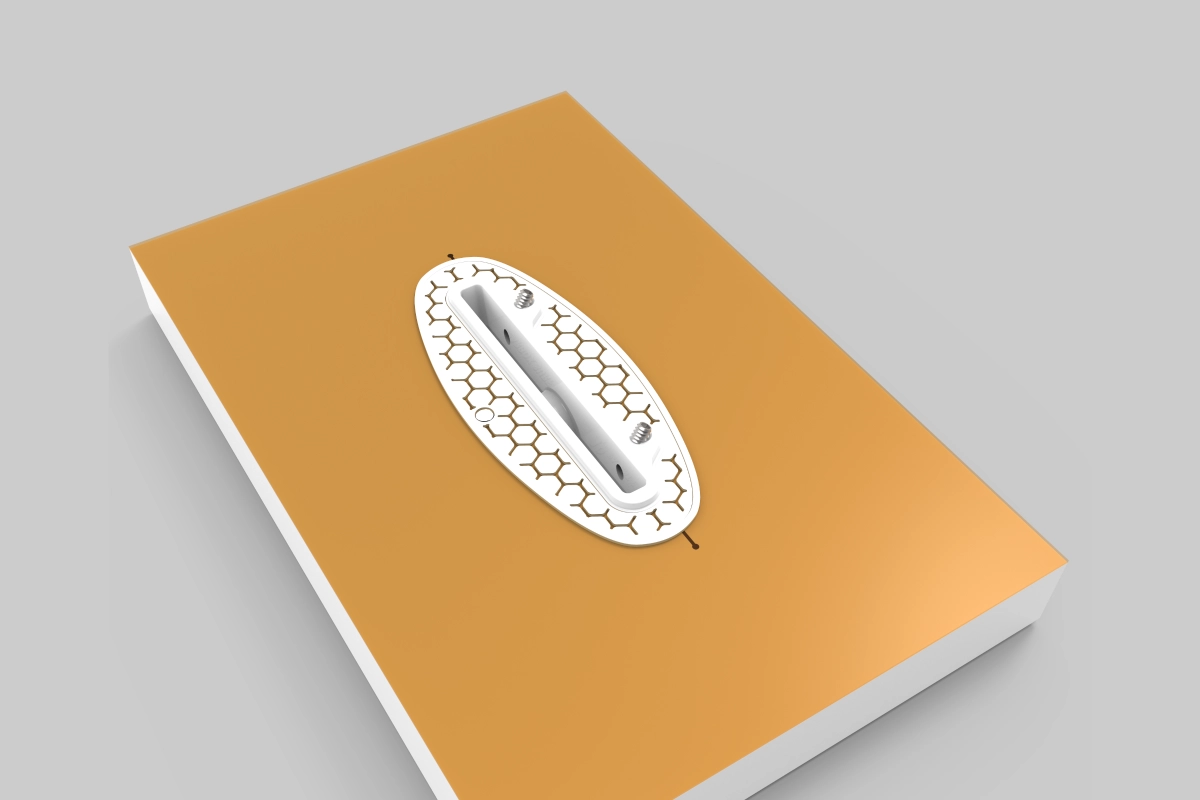
First, use the provided hex key to ensure the grub screws are well down into the box so they cannot be touched when sanding the board. Next, cover the dams on the boxes with the die-cut tape we provide or masking tape cut to fit the dam. Finally, ensure the tape is pressed tightly to prevent resin from leaking into the slot.
To install a box, pour some laminating resin into the routed cavity. First, cover all the cavity's inner surfaces with resin. Next, press the box down onto the cavity; resin should squeeze up around the edges and cover the box. Finally, ensure the box is fully pressed into the cavity. The upper surface of the load beam collar flange should be slightly below the lip of the cavity.
WARNING: SIDE BOXES MUST BE ORIENTED WITH THE SCREW SIDE FACING TOWARDS THE STRINGER!
Boxes Installed
Spread the excess resin around the top of the cover, ensuring all cavities are filled with resin.
Now, the box can be covered with fiberglass, and the lamination process can proceed. Finally, an additional reinforcement patch should be applied over the boxes. However, if a 6-oz or heavier cloth is used, placing it underneath the bottom lamination might be more manageable. In this case, a layer of 4 oz should always be used to ensure that it drapes as tightly as possible to the box's dam.
After lamination, before the resin gels, check for air around the boxes and rub in extra resin, if needed, to remove any air. You can also use a pin or scratch awl to pop the air bubbles.
NOTE: At least two layers of fiberglass should always cover the boxes. The additional layer should always be placed on top of the bottom lamination. Ideally, the second layer should be added after the bottom has cured, but it can also be applied with the bottom laminate.
Finished
During the lamination process, the box is capped with layers of glass, some of which are designed to be removed during the sanding process.
Once the board has been hot-coated and cured, sand it and the boxes. The shape of the box's dam creates a raised area that needs to be sanded flush with the board's bottom surface.
Sand down the protruding dam on the boxes until it is completely flush with the bottom of the board. This will expose the box slot and the grub screw holes.
If the board is glossed and polished, another die-cut or masking tape must be applied to the top of the box to cover the exposed slot and screw holes. Now the glossing process can be completed. Once the gloss coat has cured, the board can be polished as with any other fin system. Remove the cover at the end of the process to keep the box slot clean.